


|
|
|
|
|
|
|
|
|
|
|
|
 Create a Family History Create a Family History
Learn how to get better scans, organize and format your family history book. |
|
Learn the Basic Steps Necessary to
Your History Deserves To Be The Best You Can Make It! Everything You Need to Get Started or to Finish Your Project
CLICK HERE to order CREATE A FAMILY HISTORY TODAY! |

 "How To" tutorial movies - Easy to watch, pause, and review.
|
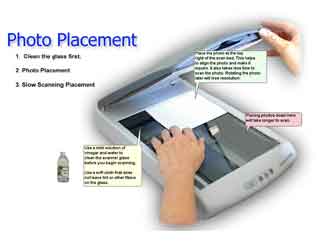
1 - Improve Your Scanning Skills - Do it right the first time! |
|
 Step-by-Step
Scanning Tutorial Step-by-Step
Scanning Tutorial16 pages
 Scanning
"How To" Video Tutorials Scanning
"How To" Video Tutorials16 Videos
|
Learn to work miracles with old photos using |
| 2 - Formatting Suggestions | |
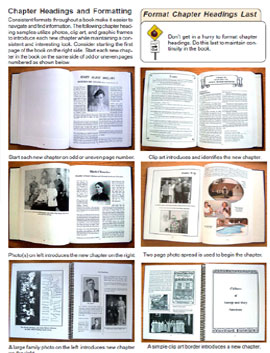
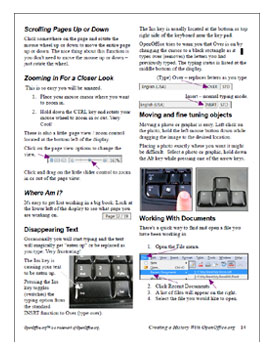
| Suggestions for Formatting Your Book 29 pages * Creating a Document * Initial Preparation * Things to Avoid * Writing Helps and Hints * Text Formatting Options * Scanning Specifications Printing Cautions * Binding Considerations * Things to Avoid * Ways to Save Money * Your Book on CD/DVD * Adding Video Introductions * Computer Search of the Book * Archiving Your Master Work |
|
| 3 - Use OpenOffice.org to Format and Create a History |
|
|
The CD/DVD Video Tutorials are outstanding and easy to follow. They do not require the Heritage Collector Software. |
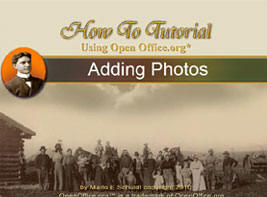
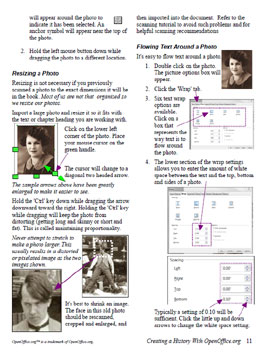
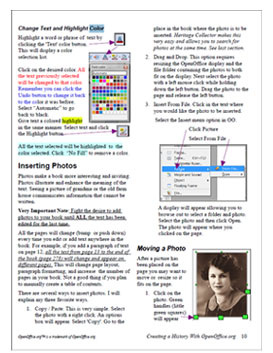
OpenOffice.org 'How To' video demonstrating how easy it is to import and flow text around a photo in OpenOffice.org.
Flowing text around a photo in OpenOffice.org.
Using color settings in OpenOffice.org Click the icon below to ORDER Create a Family History today!
|

|
Sign in here to |
||

Disclaimer: Information on this site is for informational, educational purposes only.
Visitors to the site take full responsibility for the application of information.
All rights reserved.